
Credits are what you spend to generate on Flashloop. Every image, video, voice and song costs a set number of credits, and your plan gives you a fresh allowance every month. When that allowance runs out before your next renewal, there are two ways to get more: upgrade to a bigger plan, which adds credits right away, or, on Ultra, buy a one-time top-up that never expires.
How many credits does each plan include?
Each plan comes with a monthly credit allowance:
| Plan | Credits per month | Top-ups |
|---|---|---|
| Starter | 90,000 | No |
| Creator | 400,000 | No |
| Ultra 1M | 1,000,000 | Yes |
| Ultra 2M | 2,000,000 | Yes |
| Ultra 3M | 3,000,000 | Yes |
Annual plans include the same monthly amount. You pay for the year up front, and the credits arrive one month at a time: the first month when you subscribe, then a new month on each monthly anniversary. Current prices are on the pricing page.
How much does a generation cost?
It depends on the model and the settings you choose. Longer videos, higher resolutions and higher quality tiers cost more. The generate button shows the cost before you start, and the pricing page lists the credit range for every model.
If a generation fails, its credits come back to your balance automatically. You never pay for a result you didn't get.
Do my credits roll over to next month?
No. Your monthly plan credits reset at each renewal. Whatever is left of the old month is removed, and your new allowance is added once the renewal payment goes through. On an annual plan, the reset happens on each monthly anniversary.
Only plan credits reset. Top-up credits, referral credits and credits refunded from failed generations stay on your balance.
In what order are my credits spent?
When you generate, Flashloop takes credits in this order:
- Referral credits, earned by inviting friends
- Plan credits, your monthly allowance
- Top-up credits, last
Within each type, older credits go first. Top-ups are spent last on purpose: they never expire, so your plan credits get used before they reset. You can see each type on its own in Settings.
How do I get more credits?
Upgrade your plan. This works on every plan, including Starter and Creator, and it's the only way to add credits on plans without top-ups.
- Click the + next to your credit balance at the top right, or Need more credits? in your account menu (Top Up Credits on Ultra).
- On the pricing page, pick a bigger plan and click Upgrade.
- Check the Due today amount and confirm.
The upgrade takes effect right away. Your balance grows by the difference between the two plans' monthly allowances. For example, going from Creator (400,000) to Ultra 1M (1,000,000) adds 600,000 credits on the spot. Your plan credits never go above the new plan's monthly allowance.
How do top-ups work?
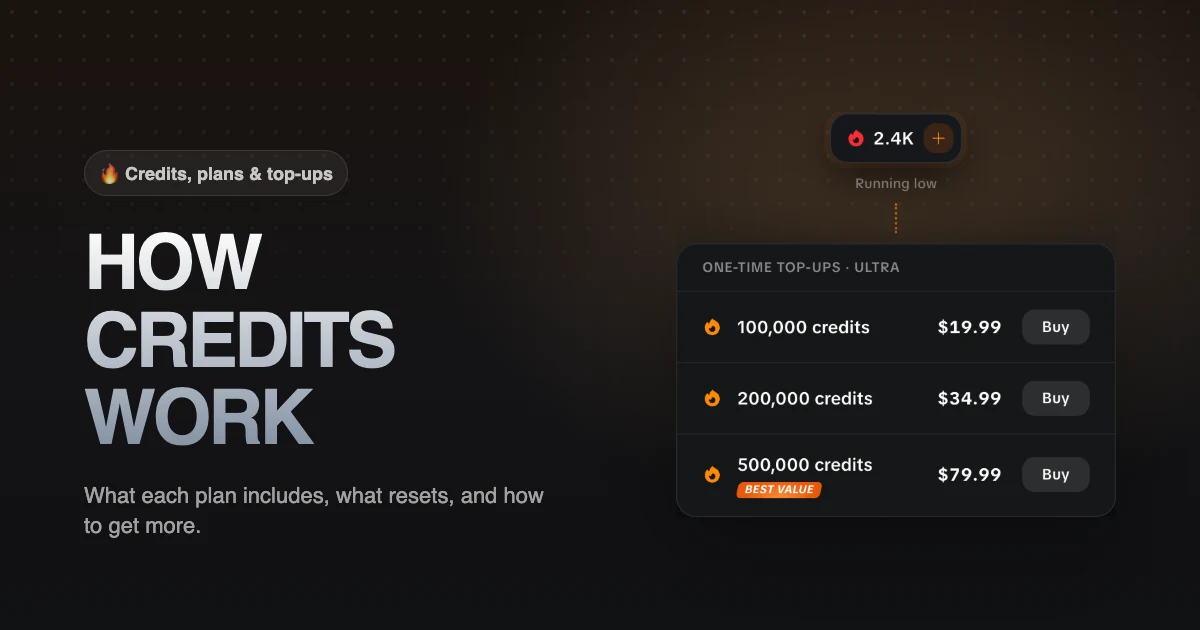
A top-up is a one-time credit pack for Ultra subscribers. It doesn't change your plan and doesn't renew. Packs come in four sizes:
| Credits | Note |
|---|---|
| 100,000 | |
| 200,000 | |
| 500,000 | Best value |
| 1,000,000 |
To buy one on Ultra:
- Click the + next to your credit balance, or Top Up Credits in your account menu.
- Under Need more credits?, pick a pack and click Buy.
- Pay at checkout. The credits are added to your balance once the payment goes through.
Pack prices are shown next to each pack on the pricing page.
Why can't I buy a top-up on Starter or Creator?
Top-ups are an Ultra feature. On Starter and Creator, the way to get more credits is to upgrade. An upgrade to Ultra also adds the credit difference right away, and from then on you can top up whenever you run low.
If you subscribed in the Flashloop mobile app, top-ups stay available on your paid plan.
Do top-up credits expire, and what happens if I cancel?
Top-up credits don't expire. They stay on your balance until you spend them, including after you cancel.
When you cancel a plan, you keep its access and credits until the end of the period you paid for. After that, the remaining plan credits are removed. Top-up and referral credits stay.
Can I get a refund for credits?
No. Subscriptions and credit purchases are final, as set out in our Terms of Service. Credits spent on a generation that fails are always returned to your balance automatically.
Got any questions left?
Do I lose my remaining credits when I upgrade?
No. You keep what you have, and the upgrade adds the difference between the two plans on top. The only limit is that your plan credits can't go above the new plan's monthly allowance.
Can I downgrade to get a cheaper plan?
Yes. A downgrade takes effect at the end of your current billing period, so you keep your current plan and its credits until then. Nothing is charged when you schedule it.
Does switching from monthly to annual add credits?
Yes. The switch is immediate: you pay for the year, the first month of the annual plan is added, and the credits left from your monthly plan stay usable until your old monthly period would have ended.
Do top-ups unlock more models?
No. A top-up adds credits only. Which models you can use depends on your plan. See the plan comparison for what each plan includes.
Where can I see how many credits I have?
Your balance is at the top right of every page. For the breakdown by type, open Settings.