Updated

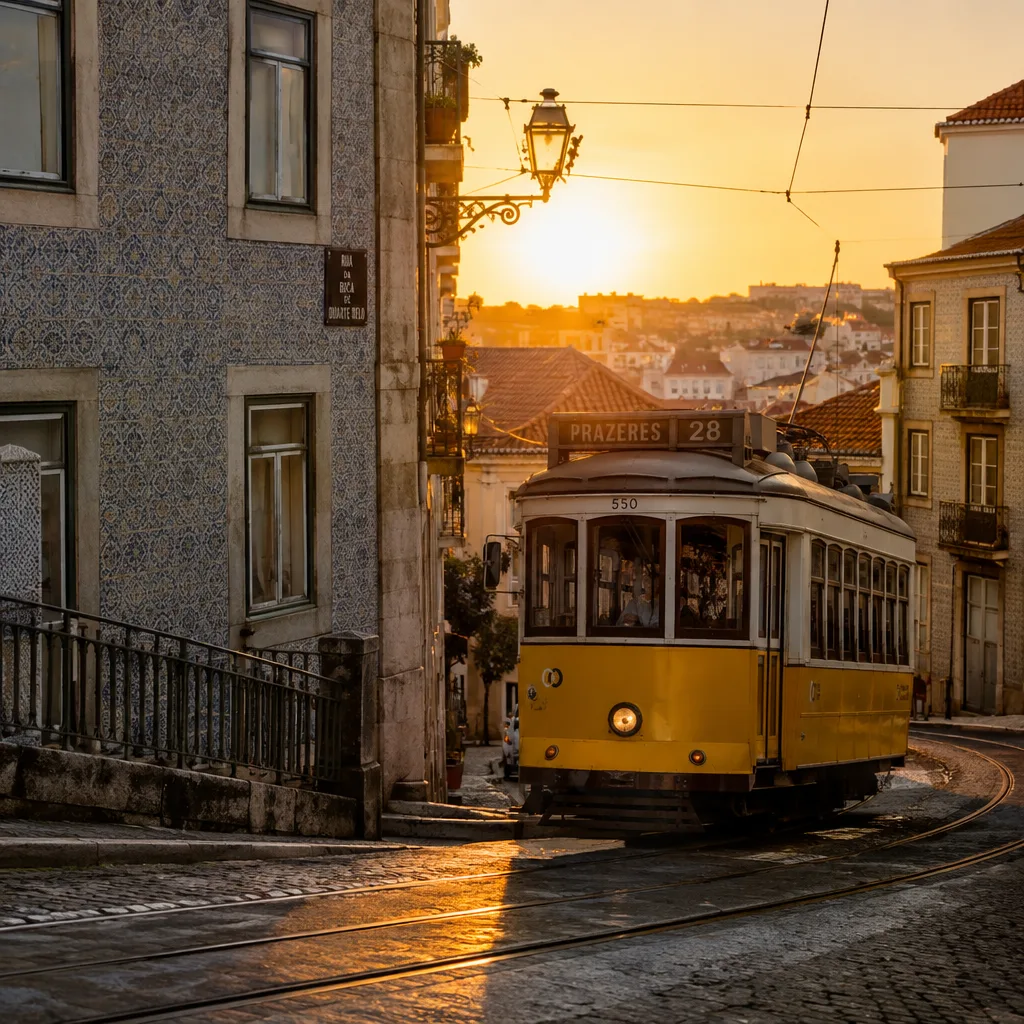
GPT Image 2.5 Flare sample, golden-hour Lisbon street with a yellow tram, photorealistic

OpenAI

GPT Image 2.5

OpenAI's GPT Image 2.5: Flare for fast everyday images, Sunburst for precise edits, both in one model.

What is GPT Image 2.5?

GPT Image 2.5 is OpenAI's newest image model, released on September 8, 2026 as the successor to GPT Image 2.

It comes in two variants: Flare for fast everyday generation and Sunburst for precise editing. On Flashloop both live in one model, with up to 16 reference images and quality settings from low to max.

The split is practical. OpenAI describes Flare as higher quality than GPT Image 2 at roughly half the latency, which makes it the default for most work: social posts, campaign visuals, quick product shots. Sunburst takes longer per image and is meant for jobs where an edit has to be exact, like changing one element of a photo while leaving the rest untouched or cleaning up a layout. Both handle text-to-image, editing and multi-turn edits.

Quality settings let you control cost. Draft at low or medium, then render the chosen image at high or max. As with GPT Image 2, OpenAI treats very large outputs, above roughly 2560x1440, as experimental, so check fine detail before you rely on it at full size.

Provider
OpenAI
Quality
low, medium, high, xhigh, max
Aspect ratios
1:1, 16:9, 9:16, 4:3, 3:4, auto

What you can do with GPT Image 2.5

  • Two variants in one model

    Flare for fast everyday generation, Sunburst for editing where precision matters

  • Flare runs at about half the latency of GPT Image 2, with higher quality according to OpenAI

  • Up to 16 reference images for edits and character-consistent images

  • Quality settings from low to max, so you only pay for the fidelity a job needs

  • Text-to-image, image editing and multi-turn edits

  • Six aspect ratio options

    auto, 1:1, 16:9, 9:16, 4:3 and 3:4

Prompts to try with GPT Image 2.5

“A golden-hour street in Lisbon, a yellow tram climbing the hill, laundry hanging from balconies, people walking in long shadows, photorealistic, 1:1, Flare, medium quality.”

Try this prompt

Where GPT Image 2.5 fits best

  • Everyday campaign visuals

    Flare at medium quality turns briefs into usable images quickly enough to keep a content calendar moving.

  • Precise photo edits

    Use Sunburst to change a product color, swap a background or remove an object while the rest of the image stays the same.

  • Posters with real typography

    Put the title and details in quotes and get travel posters, event flyers and covers with clean lettering.

  • Character-consistent series

    Attach reference images of a character or product and keep them consistent across a set of images.

  • Product shots for listings

    Editorial-style product images in natural light, rendered fast enough to cover a whole catalog.

How GPT Image 2.5 compares

GPT Image 2.5 compared with other image models on Flashloop
ModelTop resolutionAspect ratiosPlan
GPT Image 2.5No1:1, 16:9, 9:16 +3All plans
Nano Banana Pro4K1:1, 3:2, 2:3 +2All plans
Flux 24MP (2048x2048)1:1, 3:2, 2:3 +2All plans
Seedream 5.0 Lite4K1:1, 3:2, 2:3 +2All plans
Seedream 5.0 Pro2K (High)1:1, 4:3, 3:4 +5All plans

Good to know before you generate

  • Sunburst takes longer per image than Flare
  • Outputs above roughly 2560x1440 are still experimental per OpenAI, the same caveat as GPT Image 2
  • Max quality costs noticeably more per image than low or medium

Start creating with GPT Image 2.5

Create with GPT Image 2.5
  1. Select GPT Image 2.5

    Open Flashloop and choose GPT Image 2.5 from the model selector in the image creator.

  2. Enter your prompt

    Describe what you want to generate.

  3. Generate and download

    Hit generate and your image will be ready in seconds. Download or share directly.

Questions about GPT Image 2.5

Who makes GPT Image 2.5?

OpenAI. In ChatGPT it appears as ChatGPT Images 2.5, and Flashloop gives you access to both variants alongside other image models.

What is the difference between Flare and Sunburst?

Flare is the fast variant for everyday images, which OpenAI describes as higher quality than GPT Image 2 at about half the latency. Sunburst takes longer per image and is built for precise edits.

How many reference images can I use with GPT Image 2.5?

Up to 16 per generation, on either variant.

What do the quality settings do?

They trade speed and cost for detail, from low to max. Use low or medium while you iterate and high or max for the final image.

Is GPT Image 2.5 better than GPT Image 2?

For most jobs, yes. Flare covers everyday work with less waiting, and Sunburst gives you a separate mode for exact edits.

What aspect ratios does GPT Image 2.5 support on Flashloop?

Auto, 1:1, 16:9, 9:16, 4:3 and 3:4.

More image models on Flashloop

Browse all models