Updated · 12 min read
6 Best invideo Alternatives in 2026 (Real Review)

invideo tries to write, generate and edit the whole video. That is handy when Agent Two earns its seat, and expensive when all you wanted was a clip. We sorted the alternatives by the job they actually replace.
Try Flashloop
In this article
invideo is a browser-based AI video platform for filmmakers, marketers and teams. Its pitch is unusually broad: Agent Two directs generations across a large third-party model library, then drops the clips into invideo Editor, a multitrack timeline. Paid plans add premium stock footage. Official iOS and Android apps take the same idea to a phone.
That all-in-one promise is either the attraction or the problem. Some users go looking elsewhere after agent credits run out before the cut is done, or after learning that a refund stops being available once they generate anything. Others simply want watermark-free clips and resent paying per seat for a second editor. The right replacement depends on which camp you are in.
Decide how much you want the agent to do
- 1.FlashloopWe build thisOur pick for Seedance, Kling, Veo and Wan without a second editor
- 2.VEEDBest for a browser editor with auto captions, dubbing and AI avatars
- 3.ArtlistBest for stock footage, music and AI models in one subscription
- 4.Magnific (formerly Freepik)Best for design teams that want stock, editing and AI video
- 5.PippitBest for short marketing videos, avatars and social publishing
- 6.RunwayBest for filmmaking and studio formats around generated clips
Agent or model picker: decide this first
invideo can ask Seedance, Kling or Veo for a clip and place it on a timeline. Its value is the layer above those models: Agent Two plans the work, routes generations and helps assemble a cut. If you want that help, compare invideo with another editor or agent, such as VEED. If you would rather choose each model yourself and edit elsewhere, compare the generation-first tools. Mixing those two jobs produces a very confident but fairly useless ranking.
Why invideo users reach for the eject button
Starter is $20 per seat a month for 400 credits. The more interesting tools, Seedance 2.5 and Agent Two Pro and Ultra, start on Plus at $60 per seat a month. That price gap is worth noticing. So are these recurring complaints in public reviews.
The evidence is mixed, as app reviews usually are. invideo.io scores 1.9 on Trustpilot from 1,016 reviews; a second profile at ai.invideo.io scores 3.0 from 882. The iOS app is much happier territory at 4.55 stars from 27,633 US ratings, while Android has 5M+ downloads and 3.9 stars. The help docs allow a refund within 7 days only when the subscription has not been used. Flashloop is not generous here either: our terms make purchases final and non-refundable, and plan credits do not roll over.
What counted in this comparison
A disclosure before the scorecards: we build Flashloop and use it every day. That includes Seedance 2.5, Kling 3.0, Veo 3.1 and Wan 3.0. We have a point of view and an obvious horse in the race.
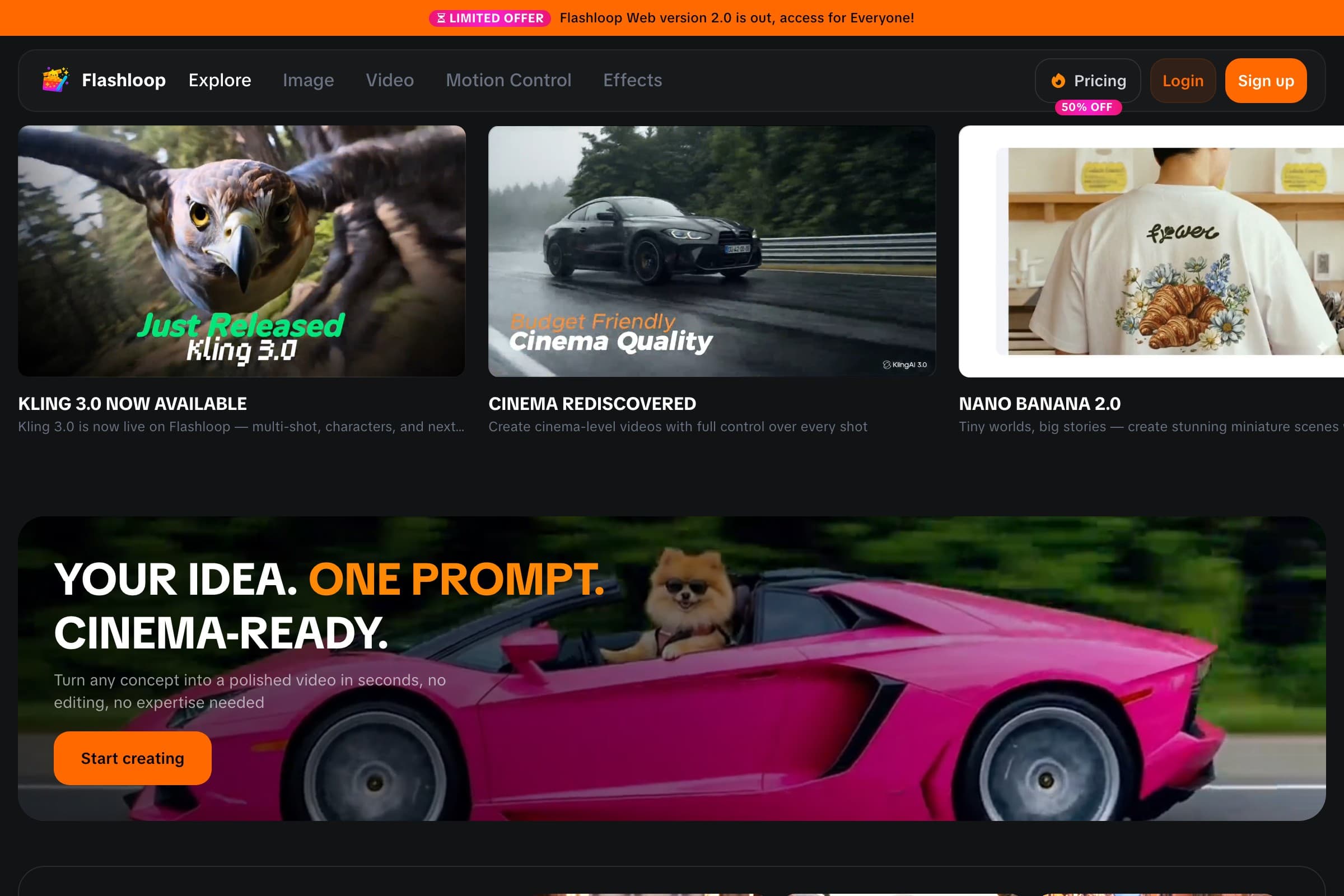
We did not pretend to produce a film in every product for this article. In September 2026, we checked the live pricing page and model list for invideo and each third-party alternative, then read their App Store and Google Play listings and public reviews. Because we did not test those products hands-on, their screenshots show homepages rather than outputs. Each summary sticks to five things we could verify: video models, free plan, starting price, mobile apps and the limitation most likely to matter when leaving invideo.
1. Flashloop: our pick when the editor is not the point

- Video models
- Seedance 2.5, Kling 3.0, Veo 3.1, Wan 3.0, MiniMax H3 Max, Gemini Omni, Grok Imagine and more
- Free plan
- No, paid plans only
- Starting price
- $19/mo (Starter, with video models such as Veo 3.1 and Seedance 2.0 Mini). Seedance 2.5, Kling 3.0 and every other model start on Creator at $59/mo, or $47/mo billed annually
- Mobile app
- iOS and Android
- Biggest limitation
- No free plan, and it isn't built for studio formats like ProRes
Flashloop is not invideo with a different logo. It is a multi-model generator, not an agentic editor, and it has no timeline. That narrower job makes sense when you prefer to choose a model, generate a clip and take the file to your usual editor. The current video menu includes Kling 3.0, Kling 3.0 Turbo, Seedance 2.5, Seedance 2.0, Wan 3.0, MiniMax H3 Max, Veo 3.1, Gemini Omni and Grok Imagine, plus image models such as Nano Banana Pro, GPT Image 2.5 and Seedream 5.0 Lite, across web, iOS and Android. Veo 3.1 and Sora are absent, as is the timeline.
The $19 Starter price can be a distraction if you came for the flagship names. Starter includes standard video models such as Veo 3.1 and Seedance 2.0 Mini. Kling 3.0 and Seedance 2.5 start on Creator at $59 a month, or $47 a month billed annually.
Flashloop's answer to an editing agent is a set of smaller shortcuts. Character Builder handles reusable characters. The Apps library packages repeatable formats and internet trends such as Sports Anime, Claymation, Viral Skeleton and Glass ASMR. You customize a working workflow instead of reverse-engineering its prompt every time.

Higher plans add Motion Control and Recast. Flashloop also connects to AI assistants through MCP. ChatGPT, Claude or Cursor can generate with Kling, Veo, Seedance and Wan, and the results still arrive in the Flashloop library. Useful, yes, but it still will not cut the clips for you.
Flashloop vs invideo
| Feature | Flashloop | invideo |
|---|---|---|
| Timeline video editor | No | Yes |
| Premium stock footage | No | Yes |
| Auto captions | No | Yes |
| AI avatars | No | Yes |
| Free plan | No | Weekly credits |
| Team seats | No | Yes |
| Veo 3.1 | No | Yes |
| Seedance 2.5 on cheapest plan | No, from Creator | No, from Plus |
| Seedance, Kling, Veo, Wan | Yes | Yes |
| Mobile app (iOS + Android) | Yes | Yes |
Where Flashloop is better
Flashloop gives you the model controls that invideo's agent is designed to hide. It is the better fit if you want to compare Seedance with Kling, reuse your own character, generate from a phone and keep the outputs in one library without paying per seat.
Where invideo is better
invideo wins on editing. Every plan includes invideo Editor, a multitrack timeline, and help docs say manual timeline edits do not use credits. Paid plans add premium stock footage quotas, auto captions, dubbing, AI avatars and per-seat team plans with multiplayer editing. Agent Two is sold as project memory and model routing, so you do not have to pick a model for every shot. Its catalog also lists Veo 3.1 and Sora 2, which Flashloop does not carry on web, plus a free plan. If those are why you use invideo, staying there makes sense.
My split is blunt. Use Flashloop when invideo has become an expensive route to Seedance, Kling, Veo and Wan. You keep those families and take responsibility for the model choice yourself.
Need captions, stock and a real cut? VEED is the closer replacement. Need Agent Two to turn an idea into an edited project? invideo still has the more coherent product. Flashloop is not a sneaky substitute for either job.
2. VEED: best for a browser editor

- Video models
- Fabric 1.0 (its own lip-sync model), plus Seedance 2.5, Kling 3.0, Veo 3.1, Wan 2.6, MiniMax Hailuo 2.3 and more (26 in its AI Playground)
- Free plan
- Yes: watermarked 720p exports up to 10 minutes, and free AI credits only in some regions
- Starting price
- $25/mo, or $12.25/mo billed annually (Creator, 500 credits a month or 6,000 a year). Prices are per user
- Mobile app
- iOS only (VEED and VEED Lite). Android is on a waitlist
- Biggest limitation
- Reviewers report surprise renewal charges, hard-to-find cancellation and refused refunds
VEED is the nearest like-for-like swap if you are leaving invideo for another online editor. On paper it combines a browser timeline with auto subtitles, brand kits, stock media, AI avatars and AI dubbing, plus an AI Playground with 26 video models, including Seedance 2.5, Kling 3.0 and Veo 3.1. Fabric 1.0 is VEED's own lip-sync model.
Creator starts at $25 a month, or $12.25 a month billed annually, per user, with 500 credits a month on monthly billing. Seedance 2.5 unlocks on a paid plan. There is no official Android app (iOS only, with Android on a waitlist), and there is no Wan 3.0 in the live playground picker. Reviewers report surprise renewal charges and refused refunds.
VEED is the sensible first trial for someone who wants invideo minus invideo. The timeline, captions and dubbing survive the move. If you already edit somewhere else, Flashloop's generation-first setup is less baggage.
3. Artlist: best for stock plus AI models

- Video models
- Seedance 2.5, Kling 3.0, Veo 3.1, Sora 2, Wan 3.0, MiniMax H3 Max, Grok Imagine and more (100+ models). Artlist Original 1.0 is its own image model, not a video model
- Free plan
- Yes: no card and no time limit, with a small set of test generations that cannot be downloaded, plus watermarked stock previews
- Starting price
- $19.99/mo (AI Starter, 16,500 credits), or $11.99/mo billed annually. Seedance 2.5, Kling 3.0 and Veo 3.1 stay on credits; yearly Unlimited on AI Core starts at $23.99/mo billed annually
- Mobile app
- No official iOS or Android app. There is a Premiere Pro plugin, plus Artlist Hub plugins for major NLEs
- Biggest limitation
- Flagship clips such as Seedance 2.5 stay on credits, and a 2026 unlimited Seedance offer was withdrawn within days
Artlist is a stock catalog with an AI Toolkit: licensed music, SFX, footage, templates and LUTs next to 100+ models, including Seedance 2.5, Kling 3.0, Veo 3.1, Sora 2 and Wan 3.0. For an invideo user who leans on premium stock clips, that bundle can replace both the generator and the stock quota.
AI Starter is $19.99 a month, or $11.99 a month billed annually. Flagship clips such as Seedance 2.5 stay on credits, and yearly Unlimited on AI Core does not include Seedance 2.5. There is no official iOS or Android app. Timeline work is through a Premiere Pro plugin and Artlist Hub, not a browser NLE like invideo Editor.
Artlist earns its place when licensed music and footage are half the reason for the subscription. With no need for that library, Flashloop is the cleaner model picker. For a browser timeline, VEED remains the better match.
4. Magnific (formerly Freepik): best for an entire creative stack

- Video models
- Veo 3.1, Gemini Omni, Seedance 2.5, Kling 3.0, Runway Gen-4.5, Wan 3.0, MiniMax H3 and more
- Free plan
- Yes, limited: up to 20 in-house AI image generations a day, personal use with attribution
- Starting price
- $20/mo, or $14.50/mo billed annually (Premium)
- Mobile app
- iOS and Android
- Biggest limitation
- Billing complaints, and some models are moving from Unlimited to credits at renewal
Magnific, Freepik's name since April 2026, swaps invideo's agent-led edit for a much broader design desk. Kling 3.0, Veo 3.1 and Seedance 2.5 sit beside 250M+ stock photos, videos, vectors and PSDs, plus editing tools, upscalers and the Spaces node canvas.
If AI video is only one part of your design work, that bundle can be worth more than an editor-first tool. Premium starts at $20 a month, or $14.50 a month billed annually, and there are iOS and Android apps. If most of what you make is short AI clips, you may pay for a lot you don't use.
I would shortlist Magnific for a design team that will use the stock and image tools too. A solo creator making mostly AI video is more likely to get value from Flashloop, or VEED when editing stays in scope.
5. Pippit: best for short marketing videos

- Video models
- Dreamina Seedance 2.5, 2.0, 2.0 Fast, 2.0 Mini and 1.0. Footer links name Veo 3.1 and Sora 2, which were not in the US homepage picker
- Free plan
- Yes: daily credits, no credit card. Watermark removal and advanced models start on paid plans
- Starting price
- $9/mo (Starter, 1,575 credits, shown vs a $15 list price), or $101/yr. Advanced models start on Starter
- Mobile app
- Official iOS and Android apps from BYTEDANCE PTE. LTD. The US App Store lookup returns no result
- Biggest limitation
- Trustpilot reviews report credits spent on failed or off-prompt videos, slow support, and refunds that are hard to get
Pippit is a CapCut-powered creative agent for marketers and shops. You type a prompt, or paste a product link, and it builds marketing videos, posters and talking-avatar clips. The logged-out US homepage picker is Seedance-heavy, including Seedance 2.5. It also sells avatars, Story Studio, social scheduling to Facebook, Instagram and TikTok, and pre-cleared commercial assets.
Starter is $9 a month (shown against a $15 list price), and there is a free plan with daily credits. Kling and Wan were not in the US picker. Footer links name Veo 3.1 and Sora 2, which were not in that picker either. Official iOS and Android apps exist from ByteDance, though the US App Store lookup returned no result. On paper this is a marketing agent, not a multitrack editor.
Pippit makes sense when the deliverable is a short product ad that still needs an avatar or a scheduled post. If the deliverable is simply a good generated shot, Flashloop's Kling, Veo and Wan options make the Seedance-heavy Pippit picker feel restrictive.
6. Runway: best for professional filmmaking

- Video models
- Gen-4.5 and Aleph 2.0 (its own), plus Seedance 2.5, Kling 3.0, Veo 3.1, Wan 3.0 and Grok Imagine
- Free plan
- Yes: 125 one-time credits, and free videos carry a watermark
- Starting price
- $15/mo, or $12/mo billed annually (Standard, 625 credits)
- Mobile app
- iOS and Android
- Biggest limitation
- Reviewers say credits go on off-prompt results and refunds are refused
Runway trains its own video models, such as Gen-4.5 and Aleph 2.0, and also runs Kling 3.0, Seedance 2.5, Veo 3.1, Wan 3.0 and Grok Imagine. That makes it a place to generate clips with studio-grade in-house models, then take them into a film pipeline.
Its Max and team plans add studio formats like ProRes and image sequences, and it has official iOS and Android apps. Standard starts at $15 a month, or $12 billed annually, and the free plan gives 125 one-time credits. It is not sold as a captions-and-stock browser editor the way invideo and VEED are.
Runway is the serious film-pipeline option here, particularly when studio formats matter. Flashloop is easier to justify for high-volume creator clips. VEED gets the nod when those clips still need a social edit in the browser.
The invideo alternatives scoreboard
Monthly prices for each tool's cheapest paid plan, checked in September 2026. None of these cheapest prices are first-month offers. VEED, Artlist, Magnific and Runway are cheaper billed annually. Pippit's $9 Starter is shown against a $15 list price.
| Tool | Free plan | Starting price | Mobile app |
|---|---|---|---|
| Flashloop | Free plan: No | Starting price: $19/mo | Mobile app: iOS + Android |
| VEED | Free plan: Yes, watermarked | Starting price: $25/mo | Mobile app: iOS only |
| Artlist | Free plan: Limited trial gens | Starting price: $19.99/mo | Mobile app: No |
| Magnific (formerly Freepik) | Free plan: Limited | Starting price: $20/mo | Mobile app: iOS + Android |
| Pippit | Free plan: Yes, daily credits | Starting price: $9/mo | Mobile app: iOS + Android |
| Runway | Free plan: 125 credits once | Starting price: $15/mo | Mobile app: iOS + Android |
| invideo | Free plan: Yes, weekly credits | Starting price: $20/mo | Mobile app: iOS + Android |
Agent minutes, credits and other tiny headaches
An invideo bill pays for two things at once: generation and an editor. The cheap-looking alternative may cover only one. Start by counting the full route to a finished video, including any second editor you would need.
- Count usable outputs, not the credits printed on the plan card. If an agent session spends credits on unfinished clips, one export may contain the cost of several generations.
- Price the version of the product you would really use. invideo Starter is limited to Agent Two Lite, Seedance 2.0 Fast and Seedance 2.0 Mini. Seedance 2.5 and Agent Two Pro and Ultra require Plus at $60 per seat a month.
- Use the list price for your comparison. invideo's Team cards list $20, $60 and $150 per seat a month on both monthly and annual billing. Forever-off Plus and Max codes appeared on some US page loads and not others, so we treat $20 / $60 / $150 as current.
- Be honest about the timeline. A generation-only plan looks cheaper until you buy back invideo's captions, stock, avatars and editing elsewhere. If CapCut or Premiere already handles your cuts, the duplicate per-seat editor is exactly what you can remove.
invideo's pricing and promotions change, so check its current pricing page before deciding.
The invideo alternative I would use
I would move from invideo to Flashloop only if the timeline had become dead weight. It keeps Seedance, Kling, Veo and Wan together, then adds creator workflows, reusable characters and iOS and Android apps. It does not replace invideo Editor, which is less a footnote than the whole decision.
The rest of the shortlist breaks down like this:
- Choose Flashloop if you want Seedance, Kling, Veo and Wan without a timeline-first workflow.
- Choose VEED if you still need captions, dubbing, avatars and a browser editor.
- Choose Artlist if licensed stock music and footage belong in the same subscription as the models.
- Choose Magnific if AI generation is only one part of a much larger design workflow.
- Choose Pippit if you make short marketing videos, avatars and scheduled social posts.
- Choose Runway if you're making professional cinematic work or need studio formats.
If Agent Two, a multitrack cut, stock clips, captions and team seats all earn their keep in one browser, I would stay with invideo. Rebuilding that bundle across three cheaper subscriptions is how people end up paying more to click between tabs.
Frequently asked questions
What is the best invideo alternative?
For model-first creation, our pick is Flashloop. It puts Kling, Seedance, Veo, Wan, MiniMax and Grok families beside character and trend workflows on web, iOS and Android, without charging for a timeline-first editor.
That is not the best answer for every invideo user. VEED is the closer swap for captions, dubbing, avatars and a browser timeline. If Agent Two and the multitrack editor do useful work for you, staying with invideo is more sensible than rebuilding the same setup elsewhere.
Is Flashloop better than invideo?
Flashloop is better for someone who wants to choose Seedance, Kling, Veo or Wan, reuse characters and generate on iOS or Android before editing elsewhere.
invideo wins when the editor is part of the purchase: auto captions, stock footage, AI avatars, team seats and Agent Two routing generations onto a cut. Flashloop does not replace those tools.
Does Flashloop have a video editor like invideo?
No. Flashloop has no timeline video editor, auto captions, stock library or AI avatar library. It generates clips with models such as Seedance 2.5, Kling 3.0, Veo 3.1 and Wan 3.0, then leaves the edit to another app.
For cutting, captions and stock, I would use VEED or keep invideo. Calling Flashloop a replacement for that workflow would be a stretch.
What is the best free invideo alternative?
The free choices do different jobs. Pippit gives daily credits without a card. VEED exports watermarked 720p video, Magnific has a limited free plan, and Artlist's card-free trial allows test generations but not downloads. Flashloop has no free plan.
Do not overlook invideo's own free tier. Its limited credits reset each Monday UTC, and downloads can carry a watermark. These limits move often, so verify them before making a workflow depend on free access.
Which invideo alternative is cheaper?
The lowest entry price in this six-tool shortlist is Pippit Starter at $9, followed by Runway Standard at $15 and Flashloop Starter at $19. invideo Starter is $20 per seat a month.
Those numbers do not buy equivalent model menus or editing features. invideo puts Seedance 2.5 and Agent Two Pro and Ultra on Plus at $60 a month. Flashloop puts Seedance 2.5 and Kling 3.0 on Creator at $59 a month, or $47 billed annually.
Where else can I use Seedance 2.5?
Flashloop carries Seedance 2.5 from Creator, while VEED carries it on a paid plan. Artlist, Magnific, Pippit and Runway also list it. invideo Starter stops at Seedance 2.0 Fast and 2.0 Mini; Seedance 2.5 begins on Plus.
Does invideo have a mobile app?
Yes. The official iOS and Android apps are from Invideo Inc / invideo INC. Flashloop, Magnific, Pippit and Runway also cover both platforms. VEED is iOS only, while Artlist has no official mobile app.
More comparisons
- Best Higgsfield alternativesSeven Higgsfield AI alternatives compared on models, pricing, free plans and mobile apps.
- Flashloop vs HiggsfieldPlans, credits, Unlimited queues, apps and workflows, side by side.
- Is there a Higgsfield app?What to install on iPhone and Android, and the look-alike apps to avoid.
- Pippit alternativesCompare Pippit alternatives for social ads, product videos, avatars, editing and pure AI generation, from ByteDance siblings to independent tools.
- VEED alternativesCompare VEED alternatives for browser editing, captions, dubbing, stock media and AI generation. Pick the workflow you need instead of paying for the whole buffet.
- ImagineArt alternativesCompare ImagineArt alternatives for AI images, video, trained models, photo editing and story worlds. See what each tool does well, badly and rather oddly.

Victor Saisse is a Founding Engineer at Flashloop, where he builds the web and mobile apps and the AI model integrations behind them.