Updated · 13 min read
7 Best ImagineArt Alternatives in 2026 (Battle Tested)

ImagineArt has a tool for nearly every creative impulse. That is either delightful or a menu the size of a novella. These alternatives range from focused video generators to proper photo editors.
Try Flashloop
In this article
ImagineArt is a web, iOS and Android studio from Vyro for images, video and audio. Calling it a generator undersells the size of the cupboard. There is Film Studio, Ad Studio, Fashion Studio, node-based Workflows, Imagine Apps and an MCP server. The live video picker includes Seedance 2.5, Kling 3.0, Veo 3.1, Wan 3, MiniMax Hailuo H3 and Runway 4.5, with Sora 2 in Apps, beside ImagineArt's own image models. This is imagine.art, by the way, not Grok Imagine. The names have not made this easy.
The best replacement depends on how much of that cupboard you open. Some people want monthly billing that does not default to Yearly, video without a paid plan or fewer surprises around credits and refunds. Others need the image tools and would lose more than they gain by moving. Seedance and Kling are available elsewhere, but ImagineArt as a whole is harder to swap out.
Choose your lane: images, video or both
- 1.FlashloopWe build thisOur pick for video-first creator formats on web and mobile
- 2.Leonardo.AiBest for training your own image models and a permanent free plan
- 3.KreaBest for comparing many video models in node-based workflows
- 4.OpenArtBest for characters and worlds before you animate them
- 5.PixlrBest if you need a real photo editor next to AI video
- 6.MorphicBest for canvas, chat agent and timeline in one web studio
- 7.HiggsfieldBest for cinematic presets around Seedance and Kling
The same prompt is a useful little lie detector
A long model menu is useful only if the models produce meaningfully different answers. We gave Seedance 2.5, Kling 3.0 and Veo 3.1 the same reference image and unchanged prompt inside Flashloop. This does not test ImagineArt's Film Studio, Apps or Workflows. It shows why access to several video models can matter, without polishing the prompt for a favorite.
See the exact prompt and reference image

Where ImagineArt feels overstuffed
ImagineArt's Basic plan costs $13 a month for 3,000 credits, or $9 a month billed yearly. Video needs a paid plan, and the pricing page opens on Yearly. That default deserves a deliberate click before checkout. These are the other complaints that recur in public reviews.
The broader record is much less gloomy. ImagineArt scores 3.8 on Trustpilot from 1,229 reviews. Its US iOS app holds 4.45 stars from 5,201 ratings, and Android shows 4.2 stars with 10M+ downloads. Trustpilot's AI summary praises the interface and the convenience of keeping many models together. Flashloop cannot claim a friendlier refund policy: our terms make purchases final and non-refundable, and plan credits do not roll over.
How we compared creative suites
We build Flashloop and use it every day with models including Seedance 2.5, Kling 3.0, Veo 3.1 and Wan 3.0. We are a competitor with a much narrower product, which is relevant rather than incidental.
We sorted the alternatives by the part of ImagineArt they can credibly replace: image training, model comparison, characters and worlds, photo editing, a canvas or cinematic presets. In September 2026 we verified live pricing, model lists, App Store and Google Play listings and public reviews. We did not test these products hands-on, so the screenshots are their homepages, not our output. The summaries stick to models, free plans, starting prices, mobile apps and the limitation that complicates a switch.
1. Flashloop: our pick for video-first creator workflows

- Video models
- Seedance 2.5, Kling 3.0, Veo 3.1, Wan 3.0, MiniMax H3 Max, Gemini Omni, Grok Imagine and more
- Free plan
- No, paid plans only
- Starting price
- $19/mo (Starter, with video models such as Veo 3.1 and Seedance 2.0 Mini). Seedance 2.5, Kling 3.0 and every other model start on Creator at $59/mo, or $47/mo billed annually
- Mobile app
- iOS and Android
- Biggest limitation
- No free plan, and it isn't built for studio formats like ProRes
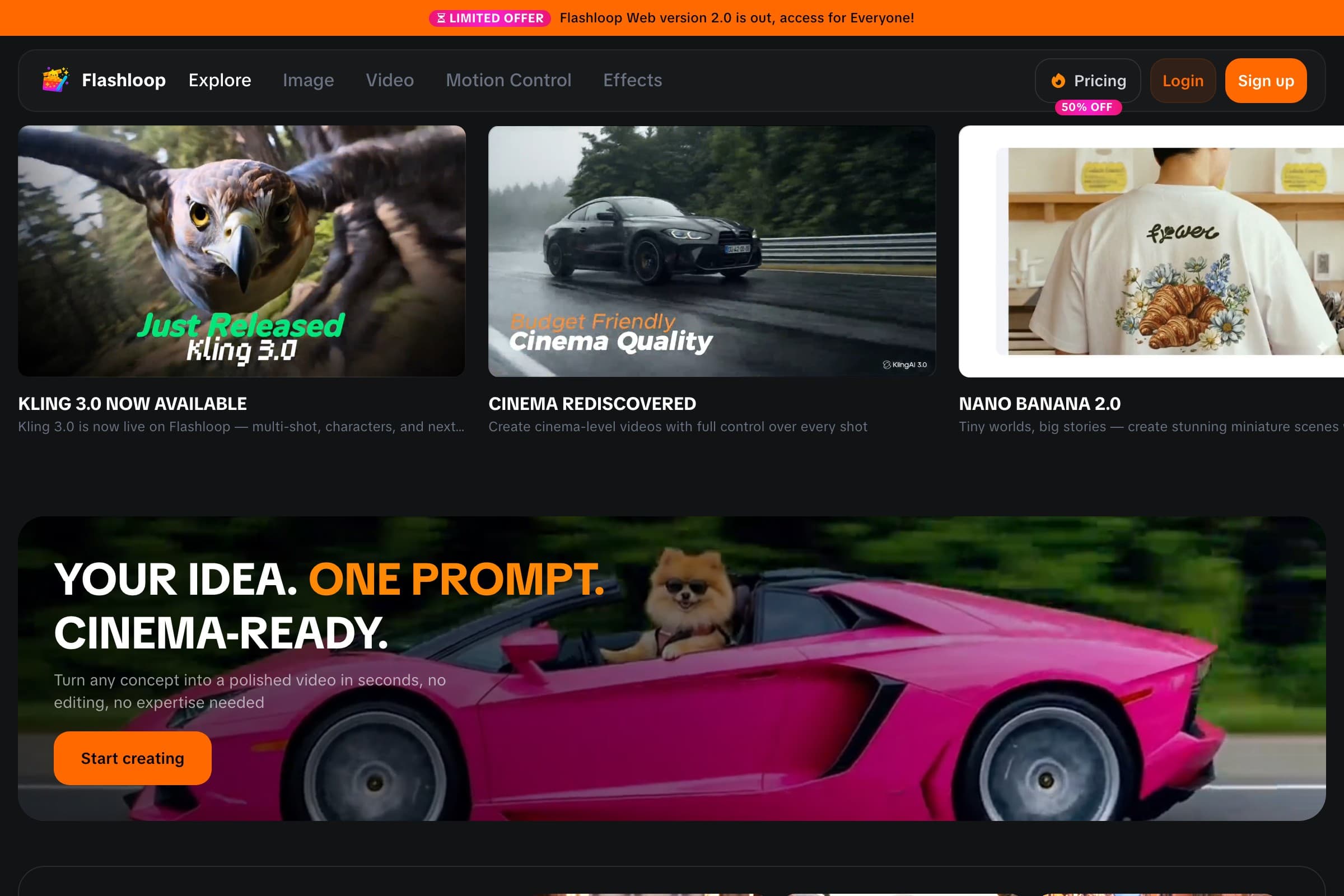
Flashloop is not a replacement for ImagineArt's whole studio. It is a narrower option for people who spend most of their time generating video. ImagineArt has a free plan, but its pricing FAQ requires a paid subscription for every video model. Flashloop has no free plan; video works on each paid plan that includes the selected model. Its current menu includes Kling 3.0, Kling 3.0 Turbo, Seedance 2.5, Seedance 2.0, Wan 3.0, MiniMax H3 Max, Veo 3.1, Gemini Omni and Grok Imagine, plus image models such as Nano Banana Pro, GPT Image 2.5 and Seedream 5.0 Lite, across web, iOS and Android.
The $19 Starter card does not unlock every headline model. It includes standard options such as Veo 3.1 and Seedance 2.0 Mini. Kling 3.0 and Seedance 2.5 start on Creator at $59 a month, or $47 billed annually.
Flashloop trades ImagineArt's open-ended toolset for packaged creator workflows. Character Builder handles reusable characters. The Apps library covers repeatable formats and internet trends such as Sports Anime, Claymation, Viral Skeleton and Glass ASMR. Instead of wiring a format from scratch in a node canvas, you customize a working workflow. Whether that feels freeing or limiting depends on how much you enjoy nodes. I know people on both sides of this tiny civil war.

Higher plans add Motion Control and Recast. Flashloop also has MCP, so ChatGPT, Claude or Cursor can generate with Kling, Veo, Seedance and Wan while the results land in the Flashloop library. ImagineArt has its own MCP server, so MCP alone is not a reason to move.
Flashloop vs ImagineArt
| Feature | Flashloop | ImagineArt |
|---|---|---|
| Free plan | No | Yes, 100/ |
| Veo 3.1 | No | Yes |
| Sora 2 | No | Apps only |
| Node-based workflows | No | Yes |
| Premiere Pro plugin | No | Yes |
| Own image models | No | ImagineArt 2.0 |
| Kling 3.0 and Seedance 2.5 | Yes | Yes |
| iOS and Android apps | Yes | Yes |
| MCP / | Yes | Yes |
Where Flashloop is better
Flashloop is a better fit when you already know the video models you want and prefer packaged creator formats to an open node canvas. It also keeps the library available on iOS and Android, and its paid plans do not add a separate video gate after listing a model.
Where ImagineArt is better
ImagineArt's catalog is wider on paper: Veo 3.1, Runway 4.5 and a Sora 2 app sit next to Seedance 2.5 and Kling 3.0, plus its own ImagineArt 2.0 / 1.5 image models. Workflows is a documented node canvas with 50+ models, and it also has Film Studio, Ad Studio and a Premiere Pro plugin. Free daily credits need no card, MCP is billed on existing credits, and it has official iOS and Android apps. If those studios, nodes or the extra models are why you use ImagineArt, staying there makes sense.
I would test Flashloop first for a video-first workflow built around Seedance, Kling, Veo and Wan. The paid plan that includes a model also lets you generate video with it, and changing models is straightforward.
If Film Studio, Ad Studio, Workflows, the Premiere plugin or proprietary image models are part of your week, Flashloop is a downgrade in scope. The rest of this list preserves different pieces of that larger studio.
2. Leonardo.Ai: best for training your own image models

- Video models
- Motion 2.0 (its own), plus Seedance 2.5, Kling 3.0, Veo 3.1, Wan 3.0, MiniMax H3, Gemini Omni and more (34 on its models page)
- Free plan
- Yes: 150 tokens a day, but creations are public and free videos are watermarked
- Starting price
- $12/mo, or $10/mo billed annually (Essential, 8,500 tokens a month). Seedance 2.5, Kling 3.0 and Veo 3.1 always cost tokens, even on Premium and Ultimate
- Mobile app
- iOS and Android
- Biggest limitation
- Reviewers report strict prompt filters, and rollover tokens are lost if you cancel
Leonardo.Ai is another multi-model image and video platform, now a Canva brand. It runs its own Lucid, Phoenix and Motion 2.0 models next to Seedance 2.5, Kling 3.0, Veo 3.1, Wan 3.0 and more (34 video models on its models page). Essential is $12 a month, or $10 billed annually, and includes 10 personal AI models a month.
For an ImagineArt user, the draw is a permanent free plan that still allows some video, with 150 tokens a day. The tradeoffs are that free creations are public, free videos are watermarked, and Seedance 2.5, Kling 3.0 and Veo 3.1 always cost tokens, even on Premium and Ultimate. Leonardo removed Sora 2 in July 2026. Reviewers also report strict prompt filters.
Leonardo.Ai is my first stop for image-model training with a permanent free tier. Flashloop only moves ahead when video-first creator workflows matter more than LoRA training.
3. Krea: best for comparing many video models

- Video models
- Seedance 2.5, Kling 3.0, Veo 3.1, Runway Gen-4.5, Wan 3.0, MiniMax H3 and more (34 in its video library)
- Free plan
- Yes: 100 compute units a day, no credit card, but free video is limited to 2 LTX-2 clips a day
- Starting price
- $9/mo (Basic, not shown to every visitor), or $35/mo for Pro with all video models
- Mobile app
- iOS only
- Biggest limitation
- Reviewers report trouble cancelling and slow support. Priority support starts on Business
Krea is the experimenter's alternative to ImagineArt's app shelf. Its 34-model video library includes Kling 3.0, Seedance 2.5, Veo 3.1, Runway Gen-4.5 and Wan 3.0, with a direct way to compare several engines on one prompt.
If you like ImagineArt Workflows, Krea Nodes is the closest published match: it chains models into reusable graphs. Pro ($35 a month, or $21 a month billed annually) is the cheapest plan with every video model. Its free plan gives 100 compute units a day, but free video is limited to 2 LTX-2 clips a day, and its app is iOS only.
Krea suits the person who wants to build the visual workflow, not merely use one. Flashloop packages more of that work around creator trends and asks you to make fewer decisions.
4. OpenArt: best for characters and worlds

- Video models
- Seedance 2.5, Kling 3.0, Veo 3.1, Wan 3.0, MiniMax H3, Gemini Omni Flash and more
- Free plan
- No ongoing free plan: a 7-day trial with 40 credits and no videos
- Starting price
- $14/mo, or $13/mo billed annually (Starter). Commercial use starts on Plus ($34/mo)
- Mobile app
- No, it runs in mobile browsers
- Biggest limitation
- Credit costs are hard to predict, especially in the Director story tool
OpenArt narrows the creative-suite idea around characters and story worlds. Its video side includes Kling 3.0, 3.0 Omni, 3.0 Motion Control, Seedance 2.5, Veo 3.1, Wan 3.0 and MiniMax H3, while Director turns an idea into a multi-shot sequence.
It goes deepest before the video step, with personalized model training and OpenArt Worlds for 3D environments. There is no mobile app, and there's no ongoing free plan, only a 7-day trial without videos. Starter is $14 a month, or $13 billed annually, and commercial use starts on Plus at $34 a month.
OpenArt has the clearest case for creators who build characters and worlds before animation. For video-first work, Flashloop is faster to shortlist; Krea is better when model experiments and nodes are the fun part.
5. Pixlr: best if you need a real photo editor

- Video models
- Seedance 2.5, Kling 3.0, Veo Fast 3.1, Wan 2.7, MiniMax H3, Vidu Q3 and more (27 in its video model list)
- Free plan
- Yes, with ads, 3 saves a day and 20 AI credits for new accounts
- Starting price
- $2.49/mo, or $1.99/mo billed annually (Plus, 80 AI credits). Premium, with access to all image and video models, is $9.99/mo, or $7.99/mo billed annually
- Mobile app
- iOS and Android
- Biggest limitation
- Reviewers report unwanted renewals, refused refunds and a content filter that flags ordinary images
Pixlr is still a browser photo editor, with Pixlr Express for quick AI edits and Pixlr Editor for layer-based work, plus iOS and Android apps. It also runs Seedance 2.5, Kling 3.0, Veo Fast 3.1, Wan 2.7 and more (27 in its video model list) on one credit balance.
Flashloop has no classic photo editor: no layers, brushes or retouch tools. If that editor is the job, Pixlr is the honest pick. Plus is $2.49 a month, but Premium, which lists access to all image and video models, is $9.99 a month, or $7.99 billed annually. Reviewers report unwanted renewals and refused refunds.
If layers, brushes and retouching appear in your normal workday, Pixlr is the honest answer. Flashloop is only the better fit when the photo editor would become unused luggage.
6. Morphic: best for canvas, chat agent and timeline

- Video models
- Seedance 2.5, Kling 3.0, Veo 3.1, Wan 3.0, MiniMax H3, Gemini Omni Flash 1.1 and more (about 30 video models on its rate card)
- Free plan
- Yes: 20 one-time credits, with watermarked exports for personal use only
- Starting price
- $9/mo, billed monthly or annually (Basic, 1,100 credits, all models)
- Mobile app
- No official app, web only
- Biggest limitation
- No mobile app, and the free plan is 20 one-time credits with watermarks
Morphic is a browser studio built around an infinite Canvas, a Copilot chat agent that picks a model, and a Compose timeline. Its rate card lists Seedance 2.5, Kling 3.0, Veo 3.1, Wan 3.0, MiniMax H3 and more (about 30 video models). Basic is $9 a month, billed monthly or annually, with all models.
That layout is closer to ImagineArt's Film Studio plus Workflows than to a trend-app library. The tradeoffs: there is no official mobile app, and the free plan is 20 one-time credits with watermarked exports for personal use only.
Morphic preserves more of the studio feeling through canvas, chat and a browser timeline. Flashloop is the practical compromise for someone who would rather have iOS and Android apps than that workspace.
7. Higgsfield: best for cinematic presets

- Video models
- Seedance 2.5, Kling 3.0, Veo 3.1, Sora 2, Wan 3.0, MiniMax and Grok Imagine (30+ models)
- Free plan
- Limited free use
- Starting price
- $19/mo (Starter, 270 credits, no Seedance 2.5). Seedance 2.5 starts on Plus at $59/mo, or $47/mo billed annually
- Mobile app
- No official app
- Biggest limitation
- Reviewers report slow Unlimited queues, credits running out fast and refunds that are hard to get
Higgsfield cuts a different path through the same crowded model market. Its 30+ choices include Kling 3.0, Seedance 2.5, Veo 3.1, Sora 2 and Wan 3.0, but the product leans on cinematic camera presets and marketing workflows instead of ImagineArt's broad shelf of small creative apps.
For an ImagineArt user, the tradeoffs are pricing and mobile. Starter is $19 a month for 270 credits, and Seedance 2.5 starts on Plus at $59 a month. Higgsfield has no official mobile app, so you'd move off ImagineArt's phone apps to the browser. Reviewers also report slow Unlimited queues and refunds that are hard to get.
Higgsfield makes sense when cinematic presets are the layer you want around Kling and Seedance. Flashloop swaps those for trend workflows and gives you official iOS and Android apps.
ImagineArt alternatives at a glance
Monthly prices for each tool's cheapest paid plan, checked in September 2026. None of these are first-month offers. ImagineArt's pricing page opens on Yearly, where Basic is $9 a month billed yearly.
| Tool | Free plan | Starting price | Mobile app |
|---|---|---|---|
| Flashloop | Free plan: No | Starting price: $19/mo | Mobile app: iOS + Android |
| Leonardo.Ai | Free plan: 150 tokens/day | Starting price: $12/mo | Mobile app: iOS + Android |
| Krea | Free plan: Yes, 100 units/day | Starting price: $9/mo | Mobile app: iOS only |
| OpenArt | Free plan: 7-day trial | Starting price: $14/mo | Mobile app: No |
| Pixlr | Free plan: Yes, with ads | Starting price: $2.49/mo | Mobile app: iOS + Android |
| Morphic | Free plan: 20 credits once | Starting price: $9/mo | Mobile app: No |
| Higgsfield | Free plan: Limited | Starting price: $19/mo | Mobile app: No |
| ImagineArt | Free plan: Yes, 100/day | Starting price: $13/mo | Mobile app: iOS + Android |
Big model lists make small invoices complicated
ImagineArt mixes a subscription, credits, model gates and whole studios. The monthly number is only the beginning. I would audit the bill in this order:
- First, count usable outputs. A video that takes several attempts costs several generations, regardless of the tidy credit total on the plan card.
- Next, find the model gate. ImagineArt requires a paid plan for every video model, its help table puts Veo on Ultimate and Creator, and Seedance 2.5 unlimited is advertised on Creator at $250 a month, or $175 a month billed yearly.
- Then switch the billing tab. ImagineArt's page opens on Yearly at -50%. Monthly Ultimate and Creator still show sale prices of $50 and $250 versus $55 and $350. Its terms say regular rates apply after a promotion.
- Last, price the tools around the models. If you rely on ImagineArt Workflows, Film Studio or the Premiere Pro plugin, a model-only plan leaves that part of the job to rebuild elsewhere.
ImagineArt's pricing and promotions change, so check its current pricing page before deciding.
The ImagineArt alternative I would open first
For a video-first creator, I would open Flashloop first. Seedance, Kling, Veo and Wan remain together; every paid plan can generate video with the models it includes; creator workflows, reusable characters and iOS and Android apps round out the narrower product.
For every other kind of ImagineArt user, the answer changes:
- Choose Flashloop if you want those model families and fast creator workflows, with video on the plans that list them.
- Choose Leonardo.Ai if you want to train image models and keep a free plan.
- Choose Krea if you want to experiment, compare models and build visual workflows.
- Choose OpenArt if you build characters and worlds before video.
- Choose Pixlr if a real photo editor is the job and AI video is extra.
- Choose Morphic if you want canvas, a chat agent and a timeline in the browser.
- Choose Higgsfield if you want cinematic presets and don't need a mobile app.
ImagineArt remains the stronger single subscription when its own image models, Film Studio, node Workflows, Premiere plugin, free daily image credits and Sora 2 app all earn their place. There is no prize for replacing one overstuffed studio with five browser tabs.
Frequently asked questions
What is the best ImagineArt alternative?
For a video-first workflow, our pick is Flashloop. It puts Seedance, Kling, Veo and Wan beside ready-made character and trend formats on web, iOS and Android.
Leonardo.Ai is a strong alternative if you want a free plan with some video and LoRA training, and Krea if you want to build your own node workflows.
Is Flashloop better than ImagineArt?
It depends on the workflow.
Flashloop is a better fit if you want video on Starter or Creator for the models those plans include, plus ready-made trend apps and an iOS and Android app. ImagineArt is a better fit if you want its own image models, Film Studio, a node canvas, a Premiere Pro plugin, a Sora 2 app, or free daily credits for named image models.
Can I generate video for free on ImagineArt?
No. ImagineArt's pricing FAQ says a subscription is required for all AI video generation models. The free plan gives 100 credits a day, limited to models such as ImagineArt 1.0 Lite and Flux Dev.
Among the alternatives, Leonardo.Ai's free plan allows some watermarked video, Krea's free plan limits video to 2 LTX-2 clips a day, and Pixlr lets new accounts try AI credits in its generators. Flashloop has no free plan.
What is the best free ImagineArt alternative?
Leonardo.Ai's free plan gives 150 tokens a day. Creations are public and free videos are watermarked, but some video models are open to free users. Pixlr can be used without paying, with ads, 3 saves a day and 20 AI credits for new accounts. Krea gives 100 compute units a day, with free video limited to 2 LTX-2 clips a day.
Flashloop has no free plan. Free tiers change often, so check the current limits before choosing a platform around them.
Which ImagineArt alternative is cheaper?
There isn't a universal answer. ImagineArt's Basic plan is $13 a month, or $9 a month billed yearly. Its pricing page opens on Yearly. Pixlr Plus starts at $2.49 a month, but access to all image and video models is listed on Premium at $9.99 a month. Morphic Basic and Krea Basic are $9 a month, and Leonardo.Ai Essential is $12 a month.
Ignore the smallest number until you confirm it unlocks video and your usual model. ImagineArt's yearly-first pricing page is a good reminder to check the billing toggle twice.
Does ImagineArt have a mobile app?
Yes. ImagineArt has official iOS and Android apps. The US App Store listing is ImagineArt: AI Video Generator by vyro.ai pvt ltd, and the Play listing is AI Image Generator: ImagineArt.
Among the alternatives, Flashloop, Leonardo.Ai and Pixlr have iOS and Android apps, Krea has an iOS app, and OpenArt, Morphic and Higgsfield don't have official apps.
Does ImagineArt have Veo 4?
Not as a live video model. ImagineArt's video picker lists Google Veo 3.1, Veo 3.1 Fast and Veo 3.1 lite. A Veo 4 app exists on its site but is labeled Coming Soon.
Flashloop currently includes Veo 3.1. It does not list Veo 4 on web.
More comparisons
- Best Higgsfield alternativesSeven Higgsfield AI alternatives compared on models, pricing, free plans and mobile apps.
- Flashloop vs HiggsfieldPlans, credits, Unlimited queues, apps and workflows, side by side.
- Is there a Higgsfield app?What to install on iPhone and Android, and the look-alike apps to avoid.
- vivago.ai alternativesCompare vivago.ai alternatives for current video models, clearer pricing, mobile creation, cinematic presets and image tools, without pretending they are interchangeable.
- Luma AI alternativesCompare Luma AI alternatives for multi-model choice, filmmaking, mobile work, image creation and lower entry prices, with current credit and app details.
- Vidu alternativesCompare Vidu alternatives for model variety, studio filmmaking, cinematic presets and mobile creation. Includes current prices, free options and practical caveats.

Victor Saisse is a Founding Engineer at Flashloop, where he builds the web and mobile apps and the AI model integrations behind them.