Updated · 13 min read
7 Best Luma AI Alternatives in 2026 (Real Review)

Luma's Ray models can make gorgeous clips. Gorgeous clips can also eat credits like popcorn. These alternatives offer different balances of model choice, control, price and phone support.
Try Flashloop
In this article
Luma is the creative app from Luma AI, Inc., the company that trains the Ray video models and the Uni-1 image model. Since March 2026 the web product, formerly Dream Machine, is built around Luma Agents: you describe a project on a board and the agent plans, generates and edits with Luma's models or third-party ones such as Seedance 2.5, Kling 3.0 and Veo 3.1. Ray, HDR export and that agent board are not generic features. If one of them is why you pay for Luma, most "alternatives" are alternatives in the loosest possible sense.
The search becomes more useful when Ray is not essential. Reviewers say credits can run out quickly; web plans start at $30 a month with no ongoing free tier; support replies can be slow. Some creators also want Android or simply prefer choosing the model themselves instead of handing the project board to an agent. Those are solvable problems.
Pick by what Ray is not doing for you
- 1.FlashloopWe build thisOur pick when Ray is not the model you need
- 2.Kling AIBest for Kling's own studio, with a free plan and desktop apps
- 3.RunwayBest for filmmaking: Luma-class studio tools plus Runway's own models
- 4.ViduBest if you want another model maker's own studio, with a lower entry price
- 5.KreaBest for comparing Ray-class work against many other models
- 6.HiggsfieldBest for cinematic presets around Seedance, Kling and Veo
- 7.Leonardo.AiBest for image-first work with a free plan and LoRA training
Let three models argue over one shot
Luma itself now puts Seedance, Kling and Veo beside Ray. To show why that menu matters, we held the reference image and prompt still while Seedance 2.5, Kling 3.0 and Veo 3.1 generated inside Flashloop. We did not tune the prompt for any model. This is deliberately not a Ray comparison, nor a test of Luma Agents. It is the part of Luma's model menu that another platform can actually replace.
See the exact prompt and reference image

Where the Luma magic gets expensive
Luma AI's cheapest web plan is Plus at $30 a month, or $25 a month billed yearly, for 10,000 credits. That sounds generous until generation costs and agent retries enter the calculation. These are the complaints that recur in public reviews.
Do not turn 64 unhappy Trustpilot reviewers into every Luma customer. The unclaimed lumalabs.ai profile scores 1.5, while the iPhone app has 4.51 stars from 1,786 US ratings, including ratings from earlier years. Luma's billing policy says unused plans may qualify for a full refund, and failed generations return their credits. Flashloop's terms are less forgiving: purchases are final and non-refundable, and plan credits do not roll over.
How we compared model makers and platforms
We build Flashloop and use it every day with models including Seedance 2.5, Kling 3.0, Veo 3.1 and Wan 3.0. Flashloop competes for the third-party model part of Luma's business. It does not compete with Ray on Ray's own terms.
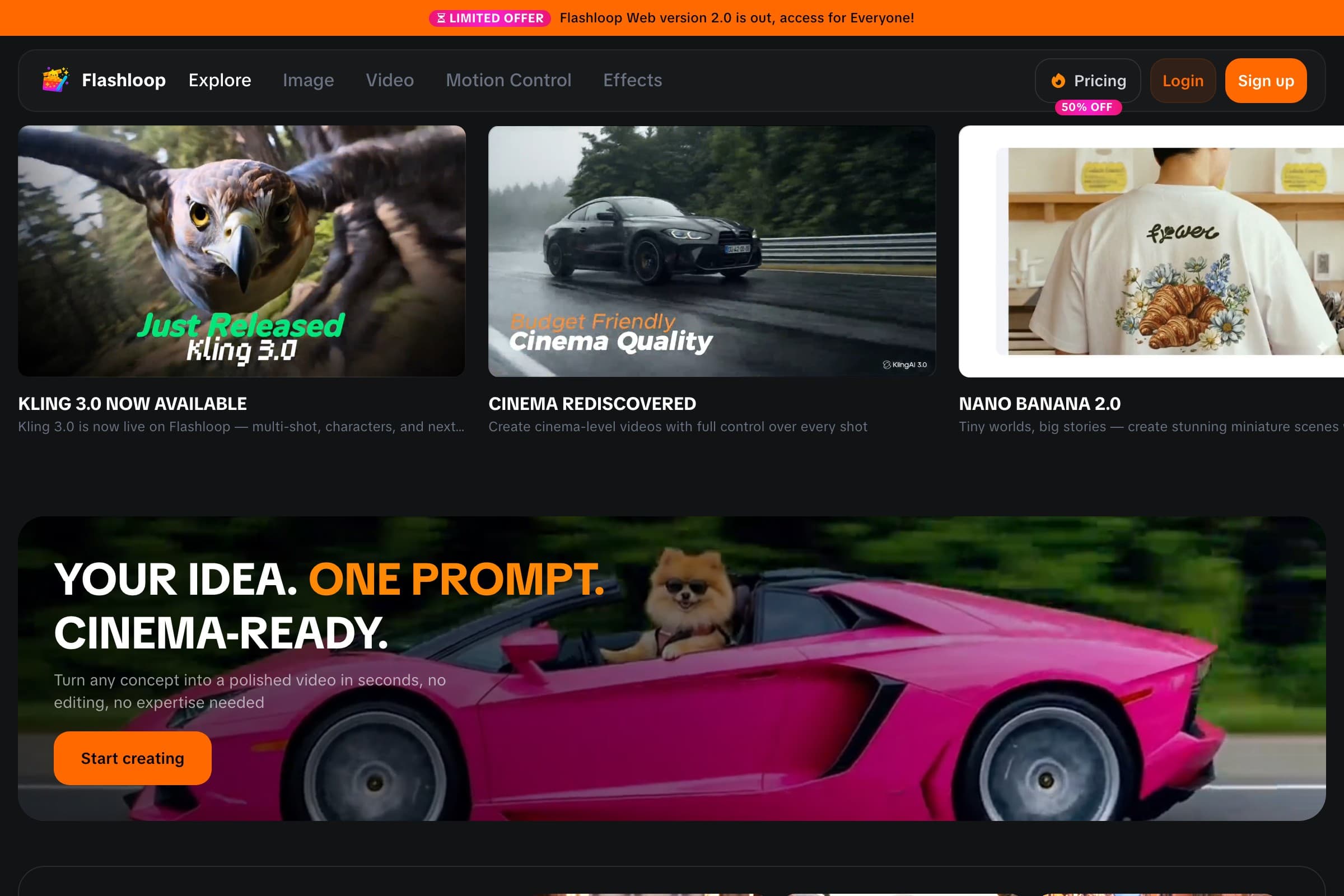
We split the shortlist into model makers and multi-model platforms, then checked their live pricing, model lists, App Store and Google Play listings and public reviews in September 2026. We did not test them hands-on, so their screenshots show product homepages rather than clips we generated. The summaries cover models, free plans, entry prices, mobile apps and the limitation that matters most to a Luma user, especially what happens to Ray-only work after a switch.
1. Flashloop: our pick when you do not need Ray

- Video models
- Seedance 2.5, Kling 3.0, Veo 3.1, Wan 3.0, MiniMax H3 Max, Gemini Omni, Grok Imagine and more
- Free plan
- No, paid plans only
- Starting price
- $19/mo (Starter, with video models such as Veo 3.1 and Seedance 2.0 Mini). Seedance 2.5, Kling 3.0 and every other model start on Creator at $59/mo, or $47/mo billed annually
- Mobile app
- iOS and Android
- Biggest limitation
- No free plan, and it isn't built for studio formats like ProRes
This recommendation has a bright red condition attached: Flashloop has no Ray. Luma builds around its own models and an agent board; Flashloop lets you pick among other leading families. Its current video menu includes Kling 3.0, Kling 3.0 Turbo, Seedance 2.5, Seedance 2.0, Wan 3.0, MiniMax H3 Max, Veo 3.1, Gemini Omni and Grok Imagine, plus image models such as Nano Banana Pro, GPT Image 2.5 and Seedream 5.0 Lite, across web, iOS and Android.
The $19 Starter plan includes standard video models such as Veo 3.1 and Seedance 2.0 Mini. It does not buy the two models many Luma users will be comparing: Kling 3.0 and Seedance 2.5 start on Creator at $59 a month, or $47 a month billed annually.
Flashloop's product layer is for creator repetition, not project planning. Character Builder keeps characters reusable. Its Apps library packages formats and internet trends such as Sports Anime, Claymation, Viral Skeleton and Glass ASMR. Instead of solving the prompt structure again, you customize a working workflow.

Motion Control and Recast sit on higher plans. An MCP connection lets ChatGPT, Claude or Cursor generate through Kling, Veo, Seedance and Wan, with results saved to the Flashloop library. That is useful automation, but it is not Luma's agent planning and editing a project on a board.
Flashloop vs Luma AI
| Feature | Flashloop | Luma AI |
|---|---|---|
| Ray video models | No | Yes |
| Wan models | Yes | No |
| Android app | Yes | No |
| Agent board workspace | No | Yes |
| HDR and EXR export | No | Yes |
| Free plan | No | Trial credits |
| Seedance 2.5 and Kling 3.0 | Yes | Yes |
| Image generation | Yes | Yes |
| Motion control | Yes | Yes |
| Web and iOS app | Yes | Yes |
Where Flashloop is better
Flashloop gives you Wan, an Android app and direct model choice. It also fits repeatable character and trend work better than an agent board. Those advantages are relevant only after you decide that Ray, HDR and EXR are dispensable.
Where Luma AI is better
Luma trains Ray3.2, which lets you set up to 16 keyframes in one clip, generate native 16-bit HDR and export 16-bit EXR frames for grading. Modify Video restyles footage you already shot, up to 20 seconds at 1080p, and keeps lip sync when face tracking is on. One Plus plan covers Ray plus Seedance 2.5, Kling 3.0, Veo 3.1, MiniMax H3, GPT Image 2.5, Nano Banana Pro and ElevenLabs audio, with the credit cost of each model listed on the pricing page. Layers splits images into editable layers, every plan can add team members who share credits, and failed generations return credits automatically. If those are why you use Luma, staying there makes sense.
Flashloop is my first test for someone who uses Luma mainly as a home for third-party models and wants Wan, Android and creator workflows. You pick the model and can change it when a shot refuses to cooperate.
If Ray3.2, Ray3.14, HDR, EXR or Modify Video appear in your real projects, I would stay with Luma. Runway is the next place I would look for a filmmaking studio, but it does not run Ray either.
2. Kling AI: best for Kling's own studio

- Video models
- Kling 3.0, 3.0 Omni, 3.0 Turbo and 3.0 Motion Control (Kling models only)
- Free plan
- Yes, with watermarked videos and one generation at a time
- Starting price
- $6.99 for the first month, then $8.80/mo (Standard, 660 credits)
- Mobile app
- iOS and Android, plus Mac and Windows apps
- Biggest limitation
- Reviewers report unexpected renewals and slow support
If the model you actually run on Luma is Kling 3.0, Kling AI is the maker's own studio: Kling 3.0, 3.0 Omni, 3.0 Turbo and 3.0 Motion Control, on web, iOS, Android, Mac and Windows. It has a free plan with watermarked videos.
You give up Ray, Seedance and Veo. Standard is $6.99 for the first month, then $8.80 a month for 660 credits. Reviewers report unexpected renewals and slow support, so read the billing terms before you switch for price alone.
Kling AI is the clean exit for a Luma user who was only there for Kling, especially with its free tier and desktop apps. Flashloop is worth the larger menu only when Seedance, Veo and Wan still matter.
3. Runway: best for professional filmmaking

- Video models
- Gen-4.5 and Aleph 2.0 (its own), plus Seedance 2.5, Kling 3.0, Veo 3.1, Wan 3.0 and Grok Imagine
- Free plan
- Yes: 125 one-time credits, and free videos carry a watermark
- Starting price
- $15/mo, or $12/mo billed annually (Standard, 625 credits)
- Mobile app
- iOS and Android
- Biggest limitation
- Reviewers say credits go on off-prompt results and refunds are refused
Runway trains its own video models, such as Gen-4.5 and Aleph 2.0, and also runs Kling 3.0, Seedance 2.5, Veo 3.1, Wan 3.0 and Grok Imagine. On paper that is the closest studio counterpart to Luma: an in-house model plus the same third-party families, with iOS and Android apps.
Its Max and team plans add studio formats like ProRes and image sequences. Standard starts at $15 a month, or $12 billed annually, and the free plan gives 125 one-time credits. Runway does not list Ray. Reviewers say credits go on off-prompt results and refunds are refused.
Runway is the strongest filmmaking alternative on this list, especially when studio formats matter. Flashloop is better suited to a steady volume of creator clips. Neither one replaces Ray.
4. Vidu: best for another model maker's own studio

- Video models
- Vidu Q3, Q2, Q1 and 2.0 (its own), plus Vidu S2 for real-time avatars. No Seedance, Kling, Veo, Wan or Sora
- Free plan
- Yes: signup trial credits and a $0 Free row, with watermarked downloads and no commercial use on the compare table
- Starting price
- $10/mo, or $8/mo billed yearly (Standard, 800 credits). Vidu Q3 11-16s starts on Standard. Ultimate is $99/mo or $79/mo billed yearly
- Mobile app
- Official Android app (ShengShu AI HK Limited, 1M+ downloads). The US iOS QR from Get App is a 404
- Biggest limitation
- Video is Vidu models only, subscription credits expire each cycle, and cash refunds are refused
Some Luma users want the maker's own model, not a board full of third-party names. Vidu is ShengShu's studio for Vidu Q3, Q2, Q1 and 2.0, plus Vidu S2 for real-time avatars. It has no Seedance, Kling, Veo, Wan or Ray.
Standard is $10 a month, or $8 a month billed yearly, and Vidu Q3 at 11 to 16 seconds starts there. There is a $0 Free row with watermarked downloads and no commercial use on the compare table. It has an official Android app. The US iOS QR from Get App is a 404. Subscription credits expire each cycle, and cash refunds are refused.
Vidu is the cheaper own-model experiment, provided you can give up Luma's third-party menu. If Seedance or Kling still belongs in the workflow, Flashloop, Runway or Krea is the more plausible first stop.
5. Krea: best for experimenting across many models

- Video models
- Seedance 2.5, Kling 3.0, Veo 3.1, Runway Gen-4.5, Wan 3.0, MiniMax H3 and more (34 in its video library)
- Free plan
- Yes: 100 compute units a day, no credit card, but free video is limited to 2 LTX-2 clips a day
- Starting price
- $9/mo (Basic, not shown to every visitor), or $35/mo for Pro with all video models
- Mobile app
- iOS only
- Biggest limitation
- Reviewers report trouble cancelling and slow support. Priority support starts on Business
Krea lists 34 models in its video library, including Kling 3.0, Seedance 2.5, Veo 3.1, Runway Gen-4.5 and Wan 3.0, and lets you run the same prompt through several of them. It does not advertise Luma's Ray models as part of that library.
Krea Nodes chains models and creative steps into reusable workflows. Pro ($35 a month, or $21 a month billed annually) is the cheapest plan with every video model. Its free plan gives 100 compute units a day, but free video is limited to 2 LTX-2 clips a day, and its app is iOS only. Reviewers report trouble cancelling and slow support.
Krea rewards hands-on model comparison and home-built visual workflows. Flashloop packages more decisions into creator trends, which is either convenient or less fun depending on why you opened Krea.
6. Higgsfield: best for cinematic presets

- Video models
- Seedance 2.5, Kling 3.0, Veo 3.1, Sora 2, Wan 3.0, MiniMax and Grok Imagine (30+ models)
- Free plan
- Limited free use
- Starting price
- $19/mo (Starter, 270 credits, no Seedance 2.5). Seedance 2.5 starts on Plus at $59/mo, or $47/mo billed annually
- Mobile app
- No official app
- Biggest limitation
- Reviewers report slow Unlimited queues, credits running out fast and refunds that are hard to get
Higgsfield is a multi-model platform with 30+ models, including Kling 3.0, Seedance 2.5, Veo 3.1, Sora 2 and Wan 3.0, wrapped in cinematic camera presets and marketing workflows. That overlap with Luma's third-party list is the reason it shows up here, not because it runs Ray.
Starter is $19 a month for 270 credits, and Seedance 2.5 starts on Plus at $59 a month. Higgsfield has no official mobile app, so you'd move to the browser from Luma's iPhone app. Reviewers also report slow Unlimited queues and refunds that are hard to get.
Higgsfield is the preset-heavy option for Seedance, Kling and Veo. Flashloop trades those cinematic controls for trend workflows and proper iOS and Android apps.
7. Leonardo.Ai: best for image-first work

- Video models
- Motion 2.0 (its own), plus Seedance 2.5, Kling 3.0, Veo 3.1, Wan 3.0, MiniMax H3, Gemini Omni and more (34 on its models page)
- Free plan
- Yes: 150 tokens a day, but creations are public and free videos are watermarked
- Starting price
- $12/mo, or $10/mo billed annually (Essential, 8,500 tokens a month). Seedance 2.5, Kling 3.0 and Veo 3.1 always cost tokens, even on Premium and Ultimate
- Mobile app
- iOS and Android
- Biggest limitation
- Reviewers report strict prompt filters, and rollover tokens are lost if you cancel
Leonardo.Ai is image-first, with its own Lucid and Phoenix models, Motion 2.0 video, and 34 video models on its models page, including Seedance 2.5, Kling 3.0, Veo 3.1, Wan 3.0 and MiniMax H3. Essential is $12 a month, or $10 billed annually, and there is a free plan of 150 tokens a day. It has iOS and Android apps, plus LoRA training (Elements).
Seedance 2.5, Kling 3.0 and Veo 3.1 always cost tokens, even on Premium and Ultimate. Free creations are public and free videos are watermarked. Reviewers report strict prompt filters, and rollover tokens are lost if you cancel. It does not run Ray.
Leonardo.Ai fits people who train image styles and want video nearby. A video-first Luma user will probably get to the point faster with Flashloop, Runway or Kling AI.
The Luma AI replacement matrix
Monthly prices for each tool's cheapest paid plan, checked in September 2026. The Kling AI price is a first-month offer. Luma AI has no first-month promo on its web pricing page.
| Tool | Free plan | Starting price | Mobile app |
|---|---|---|---|
| Flashloop | Free plan: No | Starting price: $19/mo | Mobile app: iOS + Android |
| Kling AI | Free plan: Yes, watermarked | Starting price: $6.99 first month | Mobile app: iOS + Android |
| Runway | Free plan: 125 credits once | Starting price: $15/mo | Mobile app: iOS + Android |
| Vidu | Free plan: Yes, watermarked | Starting price: $10/mo | Mobile app: Android (US) |
| Krea | Free plan: Yes, 100 units/day | Starting price: $9/mo | Mobile app: iOS only |
| Higgsfield | Free plan: Limited | Starting price: $19/mo | Mobile app: No |
| Leonardo.Ai | Free plan: 150 tokens/day | Starting price: $12/mo | Mobile app: iOS + Android |
| Luma AI | Free plan: Trial credits | Starting price: $30/mo | Mobile app: iOS only |
A credit is not a clip
Luma's 10,000 credits are not ten thousand interchangeable things. Model, duration, resolution and export settings change the cost, and the agent may make choices on your behalf. Price a representative project, not a plan-card number.
- A Plus month contains 10,000 credits. One 10-second 1080p Ray3.2 clip costs 1,200, or 3,600 with HDR and EXR. Luma says the agent may generate variations or retry outputs automatically by default, so count the whole session rather than the final clip.
- Luma Plus already lists Luma and third-party image and video models. Pro and Ultra add credits and higher agent usage rather than extra models. Flashloop does the opposite kind of gating: Kling 3.0 and Seedance 2.5 begin on Creator, not Starter.
- Luma's page has no first-month discount. Plus is $30 month to month, or $25 a month billed yearly, which is $300 a year and advertised as up to 20% off.
- Leaving Luma drops Ray, HDR and EXR, Modify Video and Veo 3.1. Seedance 2.5 and Kling 3.0 are available through Flashloop, Runway, Krea, Higgsfield and Leonardo.Ai. Wan appears on Flashloop and several of those tools, but not on Luma's pricing table.
Luma AI's pricing and credits change, so check its current pricing page before deciding.
Where I would go after Luma
If Ray is out of the equation, my creator-focused pick is Flashloop. It groups Seedance, Kling, Veo and Wan with reusable characters, creator workflows and iOS and Android apps. Flashloop does not replace Ray3.2, and the recommendation falls apart if Ray is the reason you are here.
For the other Luma workflows, the shortlist changes:
- Choose Flashloop if you want Seedance, Kling, Veo and Wan plus fast creator workflows on web and phone.
- Choose Kling AI if Kling is the model you use and you want a free plan and desktop apps.
- Choose Runway if you're making professional cinematic work or need studio formats.
- Choose Vidu if you want another model maker's own studio at a lower entry price.
- Choose Krea if you want to experiment, compare models and build visual workflows.
- Choose Higgsfield if you want cinematic presets and don't need a mobile app.
- Choose Leonardo.Ai if image models, a free plan and LoRA training matter more than video-first tools.
Stay with Luma if Ray's keyframes, HDR and EXR, Modify Video or the agent-planned team board earns the subscription. None of these alternatives recreates that exact combination, however cheerfully an affiliate table might pretend otherwise.
Frequently asked questions
What is the best Luma AI alternative?
If Ray is not the reason you use Luma, our pick is Flashloop. It combines Seedance, Kling, Veo and Wan with character and trend workflows on web, iOS and Android. Flashloop does not offer Luma's Ray models.
Runway is a strong alternative for studio filmmaking, and Kling AI if Kling is the model you actually use on Luma.
Does Flashloop have Luma's Ray models?
No. Ray3.2 and Ray3.14 are Luma's own models. Flashloop does not run Ray. It does run Seedance 2.5, Kling 3.0, Veo 3.1, Wan 3.0, MiniMax H3 Max, Gemini Omni and Grok Imagine, plus image models such as Nano Banana Pro and GPT Image 2.5.
If 16 keyframes, HDR and EXR export, or Modify Video are why you stay on Luma, switching will drop those Ray-only tools.
Is Flashloop better than Luma AI?
It depends on the workflow.
Flashloop is a better fit if you want to pick Seedance, Kling, Veo or Wan yourself, with reusable characters, trend apps, and official iOS and Android apps. Luma AI is the better fit if you want Ray3.2, native HDR and EXR, footage restyling, or an agent that plans a project on a board. Luma's cheapest web plan is Plus at $30 a month. Flashloop Starter is $19 a month, and Kling 3.0 and Seedance 2.5 start on Creator at $59 a month, or $47 a month billed annually.
What is the best free Luma AI alternative?
Luma AI has no ongoing free plan on its pricing page, only free trial credits. Kling AI has a free plan with watermarked videos. Vidu lists a $0 Free row with watermarked downloads and no commercial use on its compare table. Leonardo.Ai gives 150 tokens a day, with public creations and watermarked free videos. Krea gives 100 compute units a day with no credit card, though free video is limited to 2 LTX-2 clips a day. Runway gives 125 one-time credits with watermarked videos. Flashloop has no free plan.
Luma's trial credits are useful for a test, not a permanent free workflow. Recheck each allowance before moving a recurring project onto it.
Which Luma AI alternative is cheaper?
There isn't a universal answer. Luma AI Plus is $30 a month, or $25 a month billed yearly, for 10,000 credits. Among the alternatives, Kling AI Standard is $6.99 for the first month, then $8.80 a month. Vidu Standard is $10 a month, or $8 billed yearly. Leonardo.Ai Essential is $12 a month, or $10 billed annually. Krea Basic is $9 a month (not shown to every visitor).
A cheap subscription that cannot run Ray is irrelevant if Ray is why you use Luma. Compare one normal clip at your usual length and resolution instead of the price on the first card.
Does Luma AI have a mobile app?
Yes, on iPhone only. The US App Store listing is still named Luma Dream Machine (seller Luma AI, Inc.). There is no official Android app. Luma also runs in the browser. Among the alternatives, Flashloop, Runway, Kling AI and Leonardo.Ai have iOS and Android apps, Krea has an iOS app, Higgsfield has no official app, and Vidu has an official Android app while its US iOS QR is a 404.
Does Luma AI include Seedance, Kling and Veo?
Yes. Luma's pricing table lists Seedance 2.5, Seedance 2.0, Kling 3.0, Kling 3.0 Turbo, Kling Omni and Veo 3.1 next to its own Ray3.2 and Ray3.14 models. Plus at $30 a month already includes Luma and third-party image and video models. Flashloop, Runway, Krea, Higgsfield and Leonardo.Ai also carry Seedance 2.5 and Kling 3.0. Vidu and Kling AI do not mix those families: Vidu runs Vidu models, and Kling AI runs Kling models.
Is Luma Dream Machine the same as Luma AI?
The company is Luma AI, Inc. Since March 2026 the web app, formerly Dream Machine, is the Luma product built around Luma Agents at lumalabs.ai. The iPhone app is still listed as Luma Dream Machine. Do not confuse it with unrelated Play Store and App Store apps that reuse the Dream Machine name, or with luma.ai, which is a different company.
More comparisons
- Best Higgsfield alternativesSeven Higgsfield AI alternatives compared on models, pricing, free plans and mobile apps.
- Flashloop vs HiggsfieldPlans, credits, Unlimited queues, apps and workflows, side by side.
- Is there a Higgsfield app?What to install on iPhone and Android, and the look-alike apps to avoid.
- Vidu alternativesCompare Vidu alternatives for model variety, studio filmmaking, cinematic presets and mobile creation. Includes current prices, free options and practical caveats.
- Leonardo.Ai alternativesCompare Leonardo.Ai alternatives for trained image models, character worlds, photo editing and serious AI video, including free tiers, prices and mobile apps.
- DeeVid alternativesCompare DeeVid alternatives for talking avatars, fast templates, named AI models and cinematic control. Includes current prices, apps and the catches worth noticing.

Victor Saisse is a Founding Engineer at Flashloop, where he builds the web and mobile apps and the AI model integrations behind them.